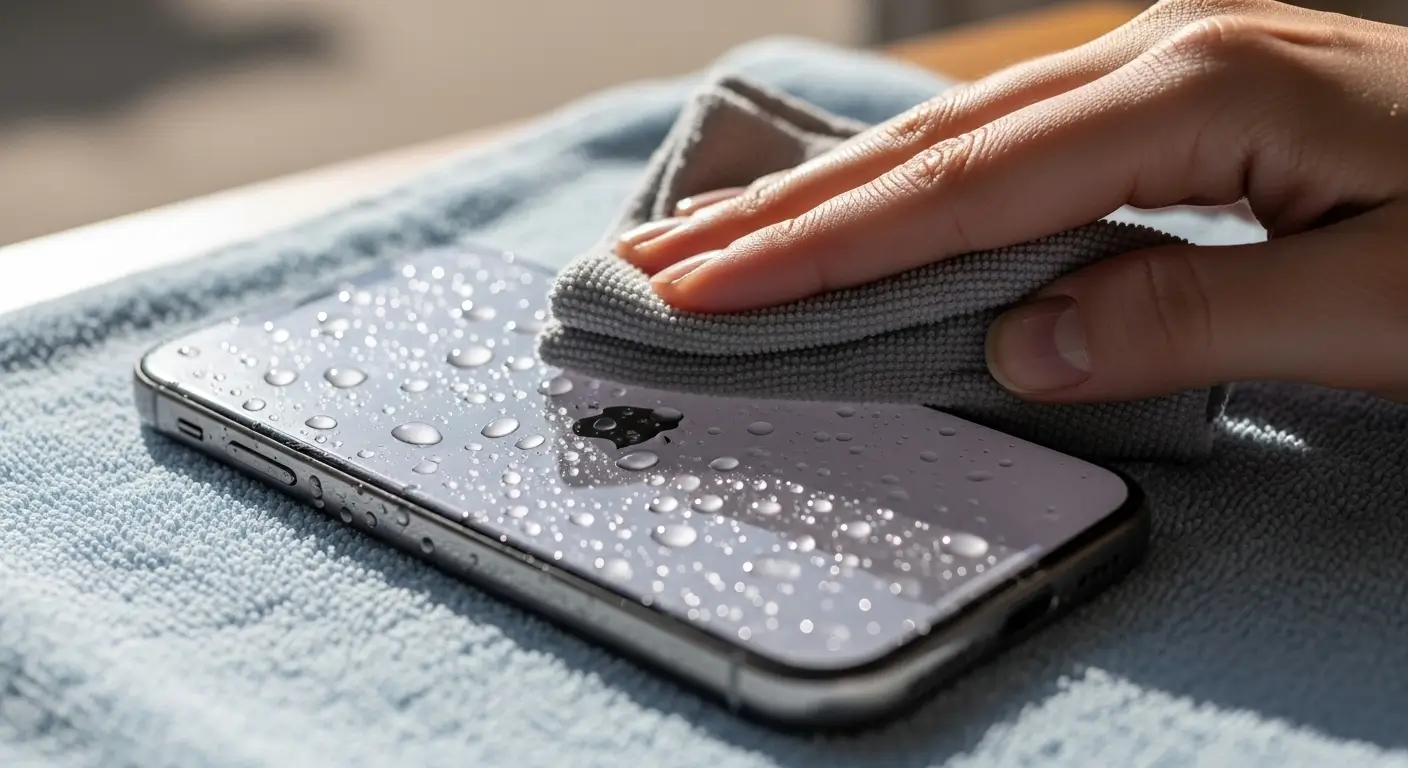
The Ultimate Guide to Buying a Certified Pre-Owned Device — IMEND Expert Edition (2026)

Buying a certified pre-owned smartphone in 2026 is one of the smartest choices you can make. 

You get premium performance, excellent reliability, and major cost savings — but ONLY if the device 

is properly inspected, tested, and certified by professionals.

This is IMEND’s official, world-class guide to choosing the safest and most reliable certified 

pre-owned device.

————————————————————

1. WHAT “CERTIFIED PRE-OWNED” REALLY MEANS

————————————————————

A certified device is not “just a used phone.”

Certification includes:

• Full hardware inspection  

• Battery testing and verification  

• Display calibration check  

• Sensor and camera testing  

• Charging system assessment  

• Logic board stability test  

• Software health and reset  

• Cleaning and sanitisation  

A certified phone has passed professional evaluation — not just a factory reset.

————————————————————

2. IMEND’S 60-POINT CERTIFICATION PROCESS

————————————————————

Every IMEND-certified device must pass:

• Battery cycle count inspection  

• Battery health evaluation  

• Original parts verification  

• Display quality inspection  

• Brightness and colour testing  

• Touch and digitizer testing  

• Speaker, mic, and vibration tests  

• Charging port integrity  

• FaceID / fingerprint sensor testing  

• Camera focus, HDR, and sensor alignment  

• Proximity and ambient sensor testing  

• WiFi, 4G/5G, Bluetooth stability tests  

• Thorough logic board diagnostics  

• Water-ingress inspection  

• Button and switch testing  

• Full internal cleaning  

• Software optimisation and fresh installation  

This ensures long-term performance and reliability.

————————————————————

3. BATTERY HEALTH REQUIREMENTS

————————————————————

IMEND only approves devices with:

• 85% to 100% battery health  

or  

• A brand new Premium Grade-A battery installed  

This ensures:

• Safe power delivery  

• Full-day performance  

• Long-term device stability  

————————————————————

4. DISPLAY QUALITY STANDARDS

————————————————————

The screen is the most important component in daily use.

IMEND requires:

• Bright, uniform display  

• Accurate colour calibration  

• Smooth touch response  

• No flicker or ghost touch  

• Safe temperature performance  

Low-quality screens are rejected automatically.

————————————————————

5. CAMERA & SENSOR TESTING

————————————————————

IMEND tests:

• Autofocus accuracy  

• Night-mode performance  

• Sensor alignment  

• HDR functionality  

• Video stability  

A certified device must perform exactly as intended with no glitches.

————————————————————

6. INTERNAL HARDWARE VERIFICATION

————————————————————

A professional technician checks:

• Charging IC stability  

• Power IC behaviour  

• Logic board heat levels  

• Moisture indicators  

• Corrosion points  

• Connector integrity  

This ensures the device is safe and long-lasting.

————————————————————

7. DEVICE GRADING SYSTEM

————————————————————

IMEND uses transparent, honest grading:

LIKE NEW

• Almost no signs of use  

• Perfect functionality  

EXCELLENT

• Very light marks  

• Fully functional  

VERY GOOD

• Visible but minor wear  

• Perfect working condition  

GOOD

• More noticeable wear  

• Fully tested and reliable  

Every grade is fully explained for the customer.

————————————————————

8. WHY CERTIFIED DEVICES ARE THE SMART CHOICE IN 2026

————————————————————

Certified devices offer:

• Major cost savings  

• Excellent long-term performance  

• Professional warranty coverage  

• Properly tested internal hardware  

• Longer lifespan than uncertified devices  

• Safer battery and charging performance  

• Peace of mind and reliability  

A certified pre-owned phone often performs nearly as well as a new device — 

for a fraction of the price.

————————————————————

9. WHY IMEND IS A TRUSTED SOURCE FOR CERTIFIED DEVICES

————————————————————

IMEND provides:

• Full technical transparency  

• Professional testing equipment  

• Premium Grade-A replacement parts  

• Warranty on certified devices  

• Detailed device history  

• Honest grading and pricing  

Every device we sell is ready for long-term daily use.

————————————————————

FINAL IMEND VERDICT

————————————————————

A certified pre-owned device is the perfect balance of value, performance, and safety.  

When inspected and certified by IMEND, you can trust that the device is reliable, 

professionally restored, and ready to serve you for years.

Choosing certified is not just smart — it’s the future of sustainable, safe, 

and affordable smartphone ownership.
How to Check If an iPhone Is Original or Refurbished — IMEND Verification Guide (2026)

With the growing number of pre-owned and refurbished iPhones being sold, it has become extremely important 

to know whether a device is original, refurbished, or repaired using low-quality parts. At IMEND, we inspect 

and verify hundreds of devices every month. This guide provides the most accurate, professional, and reliable 

method to check the authenticity of any iPhone in 2026.

————————————————————

1. CHECK THE MODEL NUMBER (FASTEST METHOD)

————————————————————

Go to:

Settings → General → About → Model Number

The first letter reveals the device origin:

M – Original retail unit (new)

F – Apple refurbished unit

N – Official replacement device

P – Personalized engraved unit

M, F, and N models are genuine and safe to purchase.

————————————————————

2. CHECK BATTERY HEALTH & REPLACEMENT STATUS

————————————————————

Go to:

Settings → Battery → Battery Health & Charging

Look for:

⚠ “Important Battery Message”

→ This means the battery was replaced outside proper calibration.

“Unknown Part”

→ Indicates a non-genuine battery or non-calibrated replacement.

Recommended battery health:

• 90–100%: Excellent

• 85–89%: Good

• 80–84%: Replacement recommended

• Below 80%: Replace immediately

————————————————————

3. CHECK DISPLAY AUTHENTICITY

————————————————————

Go to:

Settings → General → About → Parts & Service History

Messages you may see:

• “Display — Genuine Apple Part”

• “Display — Unknown Part”

• “Display — Replaced”

Signs of a non-original screen:

• Low brightness outdoors

• Incorrect colour tone (yellow/blue tint)

• Flickering at low brightness

• Slow touch response

• Ghost touch issues

Original or premium screens offer:

• Accurate brightness

• Stable colours

• Smooth touch performance

————————————————————

4. CHECK CAMERA HEALTH & AUTHENTICITY

————————————————————

Original cameras provide:

• Fast autofocus

• Clean low-light images

• Sharp details

• Stable video performance

Replaced or low-quality cameras may have:

• Slow focusing

• Blurry images

• Noisy night photos

• Lag in video recording

————————————————————

5. CHECK TRUE TONE & SENSOR FUNCTIONALITY

————————————————————

True Tone should ALWAYS be present on an original display.

If True Tone is missing:

• The screen was replaced incorrectly

• Sensors are not properly calibrated

Check FaceID:

Settings → Face ID & Passcode

If FaceID is not available or fails to set up, the device may have:

• FaceID module damage

• Motherboard-level issues

————————————————————

6. PHYSICAL INSPECTION CHECKLIST

————————————————————

Inspect the exterior carefully:

• Colour mismatch between frame and screen

• Uneven gaps around the display

• Loose or misaligned buttons

• Dust under the glass

• Bent corners

• Display lifting on the edges

• Excessive adhesive

These are signs of poor-quality repair work.

————————————————————

7. CHECK FOR WATER DAMAGE INDICATORS

————————————————————

The Liquid Contact Indicators (LCI) turn red if exposed to moisture.

Placement varies by model, but a technician can check internally if needed.

Red indicator = The device has been exposed to liquid.

————————————————————

8. SOFTWARE & PERFORMANCE TESTING

————————————————————

Run these tests:

• Open camera → switch between lenses

• Test speakers, mic, and vibration motor

• Check WiFi, Bluetooth, and mobile data

• Test brightness at lowest & highest levels

• Run a short video to test stability

Any delay, lag, flicker, or freezing indicates deeper hardware issues.

————————————————————

9. WHY IMEND AUTHENTICITY CHECKS ARE TRUSTED

————————————————————

Every IMEND-certified device undergoes:

• 60-point hardware inspection

• Battery authenticity check

• Display originality verification

• Camera sensor calibration

• Charging system test

• Logic board stability check

• Water-damage assessment

• Software validation

• Cleaning and professional finishing

IMEND certification ensures the phone is safe, original, and reliable.

————————————————————

FINAL IMEND VERDICT

————————————————————

Before buying any iPhone:

• Check model number

• Verify battery health

• Confirm display authenticity

• Test FaceID / TrueTone

• Inspect physical condition

• Run performance tests

A well-verified device lasts longer, performs better, and provides greater value.

For complete peace of mind, choose devices inspected and certified by IMEND.

Why Cheap Screens Damage Smartphones — The Hidden Truth (2026 IMEND Technical Analysis)

Many people assume all replacement screens are the same — but they are not. A cheap screen can permanently affect 

your phone’s performance, battery life, safety, and long-term reliability.

At IMEND, we have seen thousands of display-related issues caused by low‑grade replacement screens. 

This article reveals the real engineering reasons behind those problems — so you can protect your phone the right way.

————————————————————

1. CHEAP SCREENS HAVE WEAK OR INACCURATE TOUCH RESPONSE

————————————————————

Low-quality digitizers cause:

• Touch delay

• Missed touches

• Ghost touches (screen moving by itself)

• Lag during typing

• Poor gaming response

This happens because cheap digitizers use:

• Lower-quality touch sensors

• Weak controllers

• Poor alignment

A premium screen responds instantly and consistently.

————————————————————

2. POOR COLOUR ACCURACY AND LOW BRIGHTNESS

————————————————————

High-quality screens provide:

• True brightness levels

• Accurate colours

• Correct white balance

• Consistent contrast

Cheap screens suffer from:

• Yellow or blue tint

• Low outdoor visibility

• Washed-out images

• Unstable brightness

This affects both user experience and eye comfort.

————————————————————

3. CHEAP SCREENS DRAIN BATTERY FASTER

————————————————————

Low-grade displays consume more power because:

• Their backlights are inefficient

• Their digitizers use more energy

• Colour rendering requires more processing power

• Brightness is unstable

This leads to:

• Faster battery drop

• Increased heat

• Battery health decline

• Random shutdowns

Premium screens help maintain battery efficiency and temperature control.

————————————————————

4. CHEAP SCREENS CAUSE OVERHEATING

————————————————————

Overheating is one of the most dangerous effects of a low-quality screen.

Why overheating happens:

• Poor power management

• Inconsistent voltage draw

• Low-efficiency backlight

• Weak internal circuitry

Overheating can damage:

• Battery

• Charging IC

• Power IC

• Logic board

• Cameras

A high-quality screen prevents these risks.

————————————————————

5. CHEAP SCREENS BREAK MUCH MORE EASILY

————————————————————

Low-grade glass is:

• Thinner

• Poorly reinforced

• Weakly bonded

• More brittle

This results in:

• Cracks from small drops

• Glass separation from the frame

• Edge damage

• Dead touch zones

Premium Grade-A glass is designed to handle real-world impact.

————————————————————

6. CHEAP SCREENS AFFECT FACEID / SENSOR PERFORMANCE

————————————————————

Cheap screens can cause:

• Malfunctioning FaceID

• Proximity sensor issues

• Auto-brightness failure

• Display flickering

This happens because the sensors are not properly aligned or calibrated during manufacturing.

————————————————————

7. SAFETY RISKS FROM LOW-QUALITY COMPONENTS

————————————————————

Cheap screens often lack:

• Heat-resistant materials

• Proper insulation

• Safe circuitry

• Anti-static protection

Risks include:

• Short circuits

• Burning smell from components

• Display blackouts

• Permanent motherboard damage

Premium-quality components eliminate these risks.

————————————————————

IMEND PREMIUM SCREEN GUARANTEE

————————————————————

IMEND installs only Premium Grade-A and properly calibrated screens.

Our screens provide:

• Accurate brightness

• Long-lasting performance

• Smooth, responsive touch

• Strong impact resistance

• Safe temperature levels

• Professional adhesive bonding

Your phone doesn’t just look new — it performs safely and efficiently.

————————————————————

FINAL NOTE

————————————————————

A cheap screen may seem like a bargain, but it can cost far more in long-term damage.

Choosing a high-quality IMEND screen ensures:

• Better durability

• Safer operation

• Longer battery life

• Correct colour accuracy

• Reliable daily performance

A premium screen protects both your phone and your investment.

Why IMEND Repairs Deliver Superior Quality — The 2026 Professional Standard

Smartphones today are extremely advanced, requiring precision engineering, specialised tools, and deep technical knowledge

to repair correctly. At IMEND, we operate according to strict professional standards to ensure every device is restored

to its highest possible performance and long-term reliability.

This article explains why IMEND repairs stand above standard repair practices and what makes our service unique.

————————————————————

1. PREMIUM COMPONENTS ONLY

————————————————————

Your device’s parts directly affect performance, safety, and lifespan. IMEND uses only Premium Grade-A components,

 including:

• High‑brightness, high‑accuracy displays

• Safe, long‑life batteries

• High‑quality flex cables and sensors

• Durable adhesive seals

• Properly calibrated components

This ensures:

• Correct colour accuracy

• Smooth touch response

• Longer screen life

• Safe temperature levels

• Stronger overall durability

————————————————————

2. SKILLED TECHNICIANS WITH ADVANCED TRAINING

————————————————————

Modern repairs require professional expertise.

IMEND technicians are trained in:

• Micro‑soldering

• Board‑level repair

• Water‑damage diagnostics

• Battery calibration

• Sensor alignment

• Display assembly

• Connector and cable safety

This ensures repairs are performed safely and correctly — not through guesswork or shortcuts.

————————————————————

3. TRANSPARENT DIAGNOSTICS

————————————————————

Before any repair, IMEND performs:

• Battery health analysis

• Internal damage assessment

• Port, mic, and speaker tests

• Camera and sensor evaluation

• Software and performance checks

This ensures we fix the real issue — the first time — saving you money and protecting your device.

————————————————————

4. INDUSTRY‑STANDARD POST‑REPAIR TESTING

————————————————————

After a repair, IMEND performs:

• Touch calibration

• Brightness and colour testing

• FaceID / fingerprint verification

• Camera focus and sensor testing

• Charging speed and port diagnostics

• Speaker and microphone tests

• Network and connectivity tests

Your device leaves IMEND fully tested and verified.

————————————————————

5. SAFETY & DEVICE INTEGRITY

————————————————————

IMEND uses:

• Anti‑static protection

• Temperature‑controlled tools

• High‑precision tools

• Clean bench environments

• Professional adhesive sealing

This protects your device from:

• Short circuits

• Overheating

• Screen lifting

• Sensor failure

• Battery damage

————————————————————

6. LONG‑TERM RELIABILITY

————————————————————

Using premium components and correct repair methods ensures your device remains reliable for years.

Benefits include:

• Lower long‑term repair costs

• Better battery life

• Fewer future issues

• Greater performance stability

————————————————————

FINAL IMEND NOTE

————————————————————

A repair is only as good as the parts, tools, skills, and testing behind it.

IMEND repairs prioritise:

• Quality

• Safety

• Precision

• Longevity

Your phone is restored to its best possible condition — professionally, safely, and reliably.

Top 10 Ways to Protect Your Phone From Damage — IMEND 2026 Expert Guide

Your smartphone is one of the most essential devices you own — and also one of the most expensive to repair or replace. 

At IMEND, we repair thousands of devices every year, giving us deep insight into how phones break, why they break, 

and how to prevent the most common types of damage.

This is the official IMEND 2026 guide to protecting your phone — based on real repair data, not generic tips.

————————————————————

1. USE A HIGH-QUALITY PROTECTIVE CASE

————————————————————

Cheap cases fail during impact. A premium shock-absorbing case distributes impact energy properly.

Recommended features:

• Raised edges for screen protection

• Drop-tested certification

• Reinforced corners

• Non-slip grip

Thin silicone cases look nice but offer minimal real protection.

————————————————————

2. APPLY A TEMPERED GLASS OR CERAMIC SCREEN PROTECTOR

————————————————————

A good protector reduces screen crack risk by 70–90%.

Ceramic protectors:

• More flexible

• More drop-resistant

• Less likely to shatter

Glass protectors:

• Very clear visibility

• Strong protection

Either option dramatically improves safety.

————————————————————

3. AVOID WEAK MAGNETIC CAR MOUNTS

————————————————————

Low-quality magnets cause phones to fall during driving, leading to screen cracks or frame dents.

A strong, properly built holder prevents accidents.

————————————————————

4. USE HIGH-QUALITY CHARGERS AND CABLES

————————————————————

Cheap chargers cause:

• Overheating

• Battery swelling

• Charging IC damage

• Slow charging

• Power fluctuation issues

High-quality chargers maintain battery health and prevent long-term motherboard damage.

————————————————————

5. DON’T LET BATTERY HEALTH DROP TOO LOW

————————————————————

Batteries below 80% health strain the phone’s internal components, especially the power IC.

Replacing the battery early:

• Protects the motherboard

• Improves performance

• Reduces overheating

• Prevents random shutdowns

————————————————————

6. KEEP YOUR PHONE AWAY FROM WATER AND STEAM

————————————————————

Even water-resistant phones are vulnerable to:

• Steam (showers)

• Sweat

• Rain exposure

• Pressure from drops that weaken seals

Water resistance weakens with age. Avoid wet environments as much as possible.

————————————————————

7. CLEAN THE CHARGING PORT REGULARLY

————————————————————

Dust and lint cause:

• Slow charging

• No charging

• Overheating ports

• Cable connection problems

A quick professional cleaning prevents charging damage.

————————————————————

8. AVOID KEEPING YOUR PHONE IN BACK POCKETS

————————————————————

Back pockets cause:

• Frame bending

• Pressure cracks

• Micro-fractures in the display

• Back glass damage

This is one of the most common causes of hidden damage we see at IMEND.

————————————————————

9. NEVER SLEEP WITH YOUR PHONE UNDER A PILLOW

————————————————————

This causes:

• Overheating

• Battery stress

• Fire risk

• Component damage

Always charge your phone in a safe, open space.

————————————————————

10. TAKE EXTRA CARE AROUND CHILDREN

————————————————————

A large percentage of cracked screens come from accidental drops by children.

Tips:

• Add stronger cases when children use the device

• Avoid letting kids play with phones on concrete or tile floors

————————————————————

IMEND PROTECTION ADVANTAGE

————————————————————

IMEND offers:

• Premium cases

• High-quality protectors

• Fast battery replacements

• Professional cleaning

• Complete diagnostics

• Premium repairs using Grade-A parts

Protecting your phone saves time, money, and stress — and ensures your device lasts much longer.

————————————————————

FINAL NOTE

————————————————————

A few simple protective habits can prevent the vast majority of phone damage. 

With the right case, screen protector, charging accessories, and daily habits, your phone can remain 

safe, fast, and reliable for years. 

How Water Damage Really Works — What Can Be Saved & What Can’t (IMEND 2026 Guide)

Water damage is one of the most unpredictable and misunderstood types of smartphone failure.

A device can appear functional on the outside while suffering severe internal corrosion that

spreads silently. At IMEND, we have repaired thousands of water-damaged devices, giving us the

expert knowledge needed to explain exactly how water damage works — and what can be saved.

This is the definitive IMEND 2026 water‑damage guide.

————————————————————

1. WATER RESISTANCE IS NOT WATERPROOFING

————————————————————

Modern phones often come with IP67 or IP68 ratings. These ratings protect against:

• Controlled fresh water tests

• Still water

• Short exposure

They do NOT protect against:

• Sea water

• Steam or shower humidity

• Hot water

• Toilet water

• Drinks (tea, coffee, cola, juice)

• Chemical cleaners

• Sweat

• Pressure from drops and frame damage

Water resistance weakens naturally with age, heat exposure, drops, and wear.

————————————————————

2. CORROSION BEGINS WITHIN MINUTES

————————————————————

When liquid enters the device, immediate internal reactions occur:

• Copper tracks oxidise

• Connectors corrode

• Charging system weakens

• Display backlight becomes unstable

• Battery contacts deteriorate

• Micro-components begin to short

A phone may turn on and appear normal, but internal corrosion may already be spreading.

————————————————————

3. TYPES OF LIQUIDS RANKED BY DAMAGE LEVEL

————————————————————

1. Sea Water

   Salt causes instant, aggressive corrosion.

2. Toilet Water

   High mineral and bacteria levels accelerate damage.

3. Sugary Drinks

   Sugar crystallises and burns onto the motherboard.

4. Sweat

   Highly corrosive salts cause long-term damage.

5. Rain & Shower Steam

   Slow but steady internal corrosion.

6. Fresh Water

   Least harmful but still dangerous.

————————————————————

4. WHAT NOT TO DO AFTER WATER DAMAGE

————————————————————

Never do the following:

• Do NOT turn the phone on

• Do NOT charge it

• Do NOT shake the device

• Do NOT put it in rice (rice does nothing)

• Do NOT use a hairdryer (heat damages components)

These actions dramatically increase the chance of permanent failure.

————————————————————

5. WHAT YOU MUST DO IMMEDIATELY

————————————————————

• Turn the phone off

• Do not charge it

• Keep it upright

• Bring it to IMEND as soon as possible

IMEND performs:

• Ultrasonic board cleaning

• Corrosion removal

• Liquid extraction

• Battery replacement if needed

• Board‑level diagnostics

• Component repair or replacement

Early treatment massively increases success rates.

————————————————————

6. WHAT CAN OFTEN BE SAVED

————————————————————

With early intervention, many parts can be repaired or replaced:

• Logic board (in many cases)

• Cameras

• Speakers

• Charging port

• Buttons

• Vibration motor

• Screen (depending on the damage)

————————————————————

7. WHAT USUALLY CANNOT BE SAVED

————————————————————

Certain components are extremely sensitive:

• FaceID sensor modules

• TouchID home button chips

• Backlight IC (if severely corroded)

• Damaged power management IC

• Swollen or overheated batteries

These often require replacement for safety.

————————————————————

8. IMEND WATER DAMAGE SUCCESS RATE

————————————————————

Our repair process is designed for maximum recovery:

• Professional micro-soldering capability

• Advanced diagnostics

• Chemical corrosion treatment

• Precision cleaning equipment

With fast customer action, we achieve some of the highest recovery rates in the industry.

————————————————————

FINAL IMEND RECOMMENDATION

————————————————————

Water damage is repairable — but only with the correct procedure and quick action.

If your device has come into contact with liquid, switch it off immediately and bring it to IMEND.

Early treatment can save your phone, your data, and your investment.

Best Used Phones to Buy in 2026 — IMEND Certified Recommendations

Buying a used phone in 2026 can save you hundreds of euros — but only if you choose models 

that offer long-term durability, strong battery life, reliable hardware, and long software support.

At IMEND, we test, repair, and certify a large volume of devices every month, giving us a 

deep understanding of which models age well and which do not.

This is the official IMEND 2026 guide to the best used phones worth buying.

————————————————————

1. BEST OVERALL USED PHONE (2026): iPhone 13

————————————————————

The iPhone 13 continues to be one of the strongest used phone options on the market.

WHY IT’S RECOMMENDED:

• Excellent battery life

• Strong camera system for photos and video

• Smooth day-to-day performance

• Affordable repairs if ever needed

• Years of software support remaining

IDEAL FOR:

Everyday users, students, professionals, and families.

————————————————————

2. BEST PREMIUM USED PHONE: iPhone 15 Pro / Pro Max

————————————————————

A premium flagship at a reduced price when purchased pre-owned.

KEY STRENGTHS:

• Titanium frame construction

• High-end camera system

• Fast and efficient processor

• Strong battery performance

• Exceptional display quality

Buying it used provides a premium experience at significant savings.

————————————————————

3. BEST ANDROID USED PHONE: Samsung Galaxy S23 Ultra

————————————————————

A powerful and versatile flagship device.

WHY IT’S EXCELLENT:

• High-resolution camera system

• Large, vibrant display

• Strong battery endurance

• Fast charging

• Great performance for productivity and media

Ideal for users who want a large, feature-rich Android device.

————————————————————

4. BEST BUDGET USED PHONE: iPhone 11

————————————————————

Still performs incredibly well in 2026.

BENEFITS:

• Good battery life

• Very capable camera system

• Smooth performance for daily tasks

• Affordable repairs and parts

• Excellent value for price

Perfect for younger users, light users, or anyone on a budget.

————————————————————

5. BEST VALUE SAMSUNG PHONE: Samsung S22 Ultra

————————————————————

A sweet spot between premium features and affordability.

WHY IT STANDS OUT:

• Large display

• Strong camera performance

• Good battery endurance

• Flagship-grade power

• More affordable pricing compared to newer models

————————————————————

6. BEST BATTERY LIFE PHONE: iPhone 14 Plus

————————————————————

One of the longest-lasting battery performers in any iPhone lineup.

Ideal for:

• Heavy users

• Business users

• Travellers

• Anyone who needs all-day power

————————————————————

7. BEST PRODUCTIVITY PHONE: iPhone 12 Pro Max

————————————————————

A large-screen device with plenty of power.

WHY IT’S GREAT:

• Strong camera system

• Excellent display

• Good long-term support

• Affordable repair options

Perfect for work, content consumption, or multitasking.

————————————————————

PHONES THAT ARE NOT RECOMMENDED IN 2026

————————————————————

Avoid:

• Very old models (iPhone 6, 7, 8)

• Older Samsung models (S8, S9, S10)

• Devices with battery health below 80%

• Devices showing signs of motherboard faults

• Phones with repeated overheating issues

These models often have limited remaining lifespan.

————————————————————

WHY CHOOSE AN IMEND CERTIFIED DEVICE

————————————————————

Every IMEND-certified device undergoes:

• 60-point hardware testing

• Battery health evaluation

• Display quality inspection

• Camera and sensor testing

• Charging system verification

• Microphone/speaker check

• Buttons & port testing

• Water-ingress assessment

• Full cleaning and sanitation

• Software optimisation and reset

IMEND certification guarantees your used phone is reliable, safe, and ready for long-term use.

————————————————————

FINAL NOTE

————————————————————

Choosing the right used phone can save you money while still providing premium performance. 

IMEND-certified devices offer the perfect balance between affordability, reliability, and 

professional quality standards.

Should You Repair or Replace a Cracked Screen? (2026 IMEND Expert Analysis)

A cracked screen can feel frustrating and inconvenient, but it does NOT always mean you need a new phone.

At IMEND, we guide customers every day on the smartest decision based on cost, device age, display condition,

and long‑term reliability.

This is the complete 2026 IMEND expert analysis.

————————————————————

1. REPAIRING IS USUALLY THE SMARTER, CHEAPER OPTION

————————————————————

In almost all cases, repairing the screen costs far less than replacing the device.

Updated real‑world comparison:


Savings can be €300–€800+ depending on the model.

Repairing the screen allows you to:

• Keep all your data

• Avoid expensive upgrades

• Restore your phone’s appearance

• Extend device life safely

A screen repair returns the device to full usability at a fraction of the replacement cost.

————————————————————

2. WHEN YOU SHOULD REPAIR THE SCREEN

————————————————————

Repairing is strongly recommended when:

• The phone still turns on

• Touch is responsive

• The device is less than 4 years old

• You want to keep your apps, data, and settings

• The frame is not bent

A high‑quality screen replacement makes the device feel nearly brand new.

————————————————————

3. WHEN YOU SHOULD CONSIDER REPLACING THE PHONE

————————————————————

Replacement should be considered when:

• The device is very old (e.g., 5–7+ years)

• Severe multiple faults exist (battery, board, charging issues)

• The frame is bent enough that the screen cannot sit correctly

• Repair cost exceeds device value

If two or more major faults are present, upgrading may be more practical.

————————————————————

4. WHEN YOU MUST REPAIR IMMEDIATELY

————————————————————

Certain screen symptoms indicate spreading internal damage:

• Purple/green lines

• Black ink spots

• Flickering areas

• Ghost touch (screen moving on its own)

• Half the screen dark or unresponsive

• Bright vertical/horizontal lines

These can rapidly escalate into full display failure or even motherboard stress.

Immediate repair prevents more expensive damage.

————————————————————

5. DANGERS OF LOW‑QUALITY SCREENS

————————————————————

Low‑grade screens may cause:

• Poor touch sensitivity

• Increased battery drain

• Incorrect colours

• Lower brightness

• Overheating

• Reduced lifespan

• Higher likelihood of cracking again

IMEND installs only Premium Grade‑A displays, ensuring:

• Accurate colour reproduction

• Smooth touch performance

• Reinforced durability

• Safe temperature levels

• Long‑term reliability

High‑quality screens protect your phone and your investment.

————————————————————

6. WHY PROFESSIONAL INSTALLATION MATTERS

————————————————————

A proper screen replacement includes:

• Correct sealing and adhesive bonding

• Dust‑free installation

• Frame alignment check

• Sensor & camera calibration

• Brightness and touch testing

At IMEND, every repaired device undergoes full post‑repair testing to ensure flawless performance.

————————————————————

FINAL IMEND VERDICT

————————————————————

Choose REPAIR when:

• Phone is under 4 years old

• Screen damage is the main issue

• Device otherwise works well

Choose REPLACE when:

• Device is extremely old

• Multiple major faults exist

• Frame is bent beyond proper alignment

REPAIR IMMEDIATELY when:

• Lines, flickers, black spots, or ghost touch appear

A high‑quality IMEND screen replacement restores performance, protects your data, and saves you money — 

while extending the life of your device safely and professionally.

Samsung S25 Ultra vs iPhone 17 Pro Max — IMEND Expert Comparison (2026)

Choosing a flagship smartphone in 2026 often comes down to two exceptional devices:

the Samsung S25 Ultra and the iPhone 17 Pro Max. At IMEND, we evaluate these devices

not only as users, but as technicians who repair, diagnose, and analyse them daily.

This gives us a unique, real-world perspective on durability, performance, long-term

reliability, and engineering quality.

This is the most accurate, professional, and unbiased comparison of these two leading

smartphones—focused entirely on real performance, real behaviour, and real hardware data.

————————————————————

1. CAMERA PERFORMANCE

————————————————————

Samsung S25 Ultra – Best for Photography

• 200MP flagship sensor

• Outstanding zoom clarity

• High-detail images

• Excellent low-light performance

• Rich HDR output

Ideal for users who want maximum detail, zoom, and flexibility in photo capture.

iPhone 17 Pro Max – Best for Videography

• Superior stabilisation

• Cinematic-grade video

• Natural colour science

• Excellent face and skin tones

• Precise dynamic range handling

Ideal for creators who record videos for work, travel, or content creation.

————————————————————

2. BATTERY LIFE & EFFICIENCY

————————————————————

Samsung S25 Ultra:

• Larger battery capacity

• Great endurance for heavy users

• Efficient performance across apps

iPhone 17 Pro Max:

• Exceptional standby time

• Best long-term battery health stability

• Highly optimised software–hardware integration

Both devices offer strong battery life but excel in different usage styles.

————————————————————

3. CHARGING SPEED

————————————————————

Samsung S25 Ultra:

• Much faster wired charging

• Faster wireless charging

• Reverse charging available

iPhone 17 Pro Max:

• Balanced charging speed designed to protect battery health

• Consistent temperature management

Samsung is clearly faster, while Apple focuses on longevity and thermal safety.

————————————————————

4. DISPLAY QUALITY

————————————————————

Samsung S25 Ultra:

• Brighter overall screen

• Richer colour saturation

• Higher peak HDR brightness

iPhone 17 Pro Max:

• More natural and accurate colours

• Flawless uniformity and calibration

• Better long-term colour consistency

Photographers may prefer Samsung’s vibrancy, while professionals may prefer Apple’s accuracy.

————————————————————

5. DURABILITY & BUILD QUALITY (IMEND REPAIR DATA)

————————————————————

iPhone 17 Pro Max:

• Stronger structural integrity

• Less prone to screen cracking

• Robust water resistance

• Aluminium or titanium frame

Samsung S25 Ultra:

• Premium metal–glass build

• Curved edges more vulnerable during drops

• Screen replacements cost more due to curvature

Based on thousands of repairs, iPhones generally survive drops better.

————————————————————

6. COST OF OWNERSHIP

————————————————————

iPhone 17 Pro Max:

• Higher resale value

• Lower long-term repair cost

• Longer software support window

Samsung S25 Ultra:

• Better value upfront

• Feature-rich

• Strong performance for power users

Both devices offer value, but in very different ways depending on user preference.

————————————————————

FINAL IMEND VERDICT

————————————————————

Choose the Samsung S25 Ultra if:

• You want the best zoom camera

• You prioritise fast charging

• You enjoy vibrant displays

• You consume lots of media

Choose the iPhone 17 Pro Max if:

• You want the most durable build

• You prioritise video quality

• You prefer consistent software updates

• You need long-term reliability

Both phones are exceptional, premium, and future-proof. The right choice depends on how

you use your device and which strengths matter most to you.

At IMEND, we support and repair both models with professional-grade tools, premium parts,

and expert diagnostics to ensure long life and top performance.