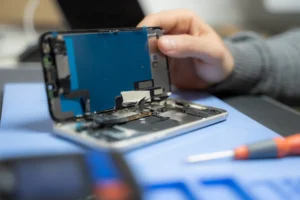
With the growing number of pre-owned and refurbished iPhones being sold, it has become extremely important
to know whether a device is original, refurbished, or repaired using low-quality parts. At IMEND, we inspect
and verify hundreds of devices every month. This guide provides the most accurate, professional, and reliable
method to check the authenticity of any iPhone in 2026.
————————————————————
1. CHECK THE MODEL NUMBER (FASTEST METHOD)
————————————————————
Go to:
Settings → General → About → Model Number
The first letter reveals the device origin:
M – Original retail unit (new)
F – Apple refurbished unit
N – Official replacement device
P – Personalized engraved unit
M, F, and N models are genuine and safe to purchase.
————————————————————
2. CHECK BATTERY HEALTH & REPLACEMENT STATUS
————————————————————
Go to:
Settings → Battery → Battery Health & Charging
Look for:
⚠ “Important Battery Message”
→ This means the battery was replaced outside proper calibration.
“Unknown Part”
→ Indicates a non-genuine battery or non-calibrated replacement.
Recommended battery health:
• 90–100%: Excellent
• 85–89%: Good
• 80–84%: Replacement recommended
• Below 80%: Replace immediately
————————————————————
3. CHECK DISPLAY AUTHENTICITY
————————————————————
Go to:
Settings → General → About → Parts & Service History
Messages you may see:
• “Display — Genuine Apple Part”
• “Display — Unknown Part”
• “Display — Replaced”
Signs of a non-original screen:
• Low brightness outdoors
• Incorrect colour tone (yellow/blue tint)
• Flickering at low brightness
• Slow touch response
• Ghost touch issues
Original or premium screens offer:
• Accurate brightness
• Stable colours
• Smooth touch performance
————————————————————
4. CHECK CAMERA HEALTH & AUTHENTICITY
————————————————————
Original cameras provide:
• Fast autofocus
• Clean low-light images
• Sharp details
• Stable video performance
Replaced or low-quality cameras may have:
• Slow focusing
• Blurry images
• Noisy night photos
• Lag in video recording
————————————————————
5. CHECK TRUE TONE & SENSOR FUNCTIONALITY
————————————————————
True Tone should ALWAYS be present on an original display.
If True Tone is missing:
• The screen was replaced incorrectly
• Sensors are not properly calibrated
Check FaceID:
Settings → Face ID & Passcode
If FaceID is not available or fails to set up, the device may have:
• FaceID module damage
• Motherboard-level issues
————————————————————
6. PHYSICAL INSPECTION CHECKLIST
————————————————————
Inspect the exterior carefully:
• Colour mismatch between frame and screen
• Uneven gaps around the display
• Loose or misaligned buttons
• Dust under the glass
• Bent corners
• Display lifting on the edges
• Excessive adhesive
These are signs of poor-quality repair work.
————————————————————
7. CHECK FOR WATER DAMAGE INDICATORS
————————————————————
The Liquid Contact Indicators (LCI) turn red if exposed to moisture.
Placement varies by model, but a technician can check internally if needed.
Red indicator = The device has been exposed to liquid.
————————————————————
8. SOFTWARE & PERFORMANCE TESTING
————————————————————
Run these tests:
• Open camera → switch between lenses
• Test speakers, mic, and vibration motor
• Check WiFi, Bluetooth, and mobile data
• Test brightness at lowest & highest levels
• Run a short video to test stability
Any delay, lag, flicker, or freezing indicates deeper hardware issues.
————————————————————
9. WHY IMEND AUTHENTICITY CHECKS ARE TRUSTED
————————————————————
Every IMEND-certified device undergoes:
• 60-point hardware inspection
• Battery authenticity check
• Display originality verification
• Camera sensor calibration
• Charging system test
• Logic board stability check
• Water-damage assessment
• Software validation
• Cleaning and professional finishing
IMEND certification ensures the phone is safe, original, and reliable.
————————————————————
FINAL IMEND VERDICT
————————————————————
Before buying any iPhone:
• Check model number
• Verify battery health
• Confirm display authenticity
• Test FaceID / TrueTone
• Inspect physical condition
• Run performance tests
A well-verified device lasts longer, performs better, and provides greater value.
For complete peace of mind, choose devices inspected and certified by IMEND.
Sometimes a cracked screen may well be the tip of the iceberg! The touch sensors and other hardware may also have been damaged by the accident that befell the device. Thus, if your mobile phone isn’t working properly, it’d be best to visit a reliable phone repair shop. iMend is one of the best phone repair shops around and offers unmatched broken cellphone screen repair in Dublin. We offer transparent pricing, use quality parts, and even offer a 12-month warranty on most repairs.